Your files.On your TV.
Stream your photos and videos from your computer to your TV. Nothing uploads. Nothing to sign up for.
Free. Works on Windows 10 and 11. No sign-up, no email required.
How it works
Three steps, once. After that it just runs.
Install
Download DriveCast TV and open it. Point it at a folder of photos or videos.
Connect
It finds your TV on its own. Press Play on TV and the app opens, already connected.
Watch
Your photos and videos appear on the TV, sorted by month. Nothing to organise.
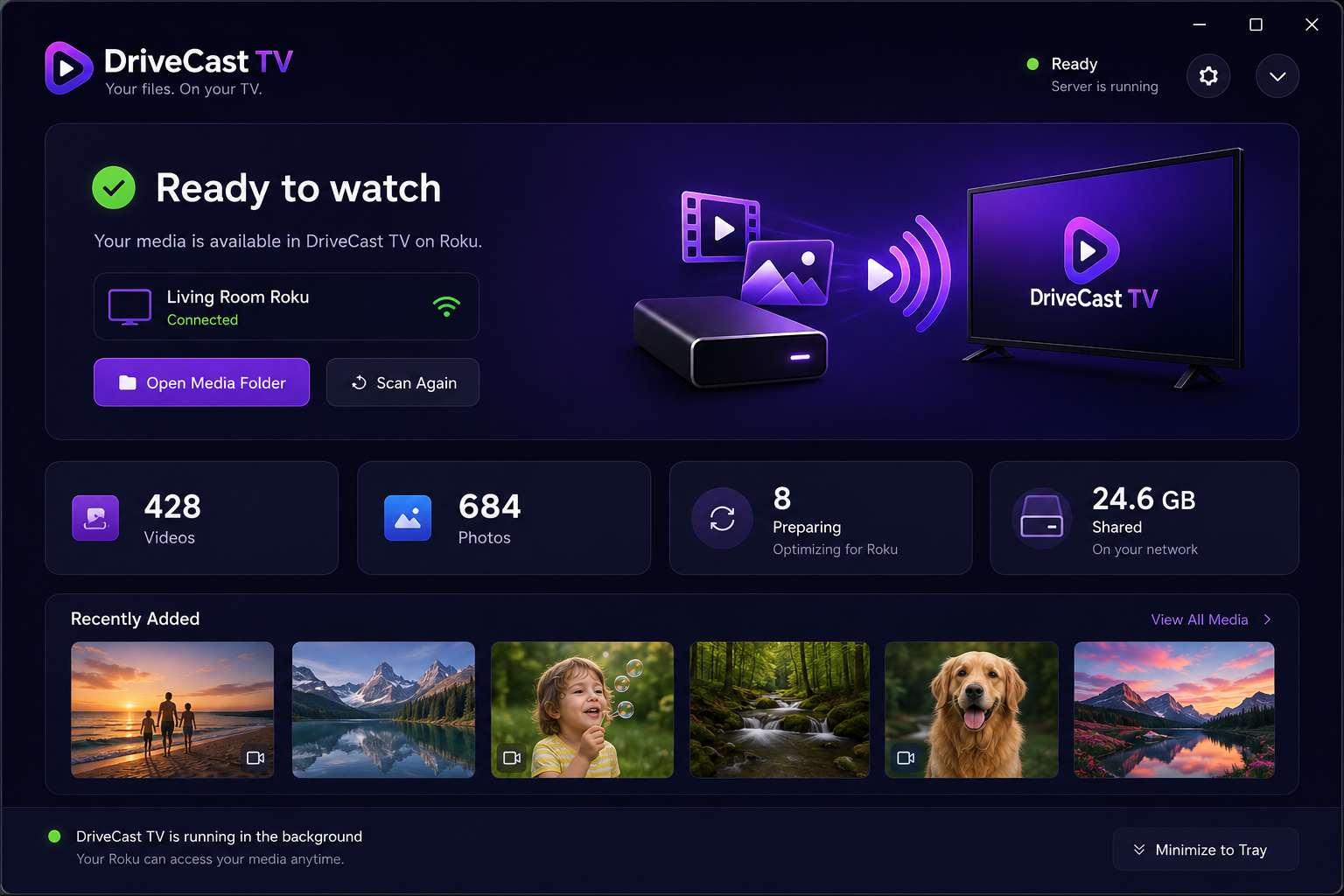
Everything in one window
Add a folder and DriveCast reads the dates out of your files, so thousands of photos arrive already sorted.
Simple pricing
Watching at home is free forever. Pay only to reach the TVs of the people you love.
Local
Always. No account, no card.
- Every TV on your home Wi-Fi
- All your photos and videos
- Albums & per-TV sharing
- Phone remote
Anywhere
or $29.99 / year — two months free
- Everything in Local, plus:
- Send to family in another house
- Up to 5 remote TVs
- They read you one code — it just works
- No port forwarding, nothing to set up
Card up front. Cancel anytime.
Coming soon
Being built now. The app you download today keeps working exactly as it does, and updates itself when these land.
Share with the family
Choose exactly which folders each person can see, and watch what they're enjoying — or share everything with one switch.
Mac, Fire TV and more
The same app for Mac, and the TV side on Fire TV, Google TV and Apple TV.
Questions
The ones people actually ask.
Do my photos get uploaded anywhere?
No. DriveCast reads the files already on your computer and sends them straight to your TV over your own Wi-Fi. Nothing is copied to the internet, and there is no cloud account behind it.
Do I need to make an account?
No. Download it, point it at a folder, and it works. There is nothing to sign up for and no email to give us.
What do I need?
A Windows computer with your photos or videos on it, and a Roku on the same Wi-Fi. That's it — no cables, no USB sticks, no settings on your router.
Does it work with my file types?
Photos in JPEG, PNG, HEIC-exported and similar, and videos in MP4, MOV, MKV, AVI and more. Anything your TV can't play natively is quietly converted in the background, including sideways phone videos, which are turned upright for you.
Is it really free?
Watching at home is free and always will be — unlimited folders, unlimited TVs. Watching from a different house will be a small monthly subscription when it arrives, because it costs us something to run. Everything you can do today stays free.
Can I put it on my parents' TV?
Yes. Watching at home is free; to reach a TV in another house, start DriveCast Anywhere ($3.99/month or $29.99/year, 7-day free trial). They install DriveCast on their Roku, read you a 6-character code once, and your library appears on their TV — no setup on either end.